
FINANCING · BUY-HERE-PAY-HERE
Financing desk and buy-here-pay-here
Two parts of Levels Dealer OS handle financing. Finance, in the Full Package, runs credit applications and prequalification. In-House Payments, a $29 module, runs the loans your dealership carries itself. Levels provides the software and is not a party to the financing you offer.
Every module is $29 a month, everything is $299 — 14 days free on each module with code #LevelUP. See the pricing →
Start free with #LevelUP →Prequalification on your website FULL PACKAGE
From your website's financing page or any vehicle page, a shopper checks their credit with a soft inquiry before anyone asks a lender — about three minutes. It runs on Levels' bureau account, so your dealership doesn't need one of its own.
They agree first
The FCRA notice sits on its own screen with an unchecked box and an I AGREE button. Levels keeps the exact words they agreed to, with the time, IP address, and device.
A soft inquiry
Levels asks the bureau on your dealership's behalf. It doesn't affect their credit score and it isn't an application for credit. When a score comes back that reaches a planning tier and you have priced cars live on your site, they see that tier and estimates on those cars.
It lands on your desk
It shows up on your Finance tab, as a card on your Finance board, and as a lead in your CRM. Only staff you give full credit access see the score, the bureau's reason codes and the tradelines. Your team's lead alert never carries the credit picture.
Then the application
When they continue, the full credit application opens with their name, contact, address, and budget already filled in — and it routes to DealerCenter the way applications do today.
What prequalification needs
On with one button
An owner or manager turns it on with one button in Integrations — no bureau account to sign up for, no login to enter. Your website offers prequalification once it's on and credits are in the balance; one switch on the Finance tab turns that off.
Priced per report, prepaid
Each report comes out of prepaid credits you buy inside the OS. If the bureau doesn't return a report, the credit goes back. Credits don't expire.
Your desk runs reports too
Staff with full credit access can run the same soft-inquiry report on a credit application — only after the customer's authorization is logged or their signed paper is attested.
Credit applications and your desk FULL PACKAGE
Three ways in
An application comes from your website, from a link you text or email, or on paper in the store that a staff member attests to.
Consent before any credit check
A credit check never runs until the customer's authorization is on file, recorded before the bureau is contacted — on every path.
Who sees the credit file
The owner gives each staff member a credit-access level — none, summary, full or admin. Summary shows only a tier, full shows the score and its factors, and admin can open the raw file after entering a personal PIN; that view is logged.
Social Security numbers
Stored encrypted; staff screens show the last four digits. Only the highest credit-access level can reveal the full number, and each reveal is logged with the staff member's name and the time.
Sending to DealerCenter
Save your DealerCenter lead address and credit applications from your website are held for your review on the Finance board — check what goes, press Send, and the packet lands in DealerCenter with the customer's credit authorization time written in when it's on file. Nothing is submitted on its own.
Lender networks
Submission to lender networks such as CUDL is not switched on.
What your customer sees
Where their application stands, in plain words, in their own account on your website — signed in with a one-time code — along with the financing options you publish to them.
Buy-here-pay-here: In-House Payments $29 MODULE
Every loan's account
Each buy-here-pay-here loan has its account: what has been paid, what is due next, and the payment history.
Customers pay online
Your customer signs in to their account on your website with a one-time code and pays on Stripe's own checkout page.
The money is yours, in your Stripe account
Each payment is a charge in your dealership's own Stripe account; Levels never holds the money, and Stripe charges its fees to you. Online payment switches on once Stripe says your account can take charges and pay out.
Reminders with a pay link
Text and email reminders carry a link to pay; you set when they go out.
Cards online, everything else at the desk
Customers pay online by card; bank (ACH) payments are not offered yet. Cash, checks and cards taken in person are recorded by your staff.
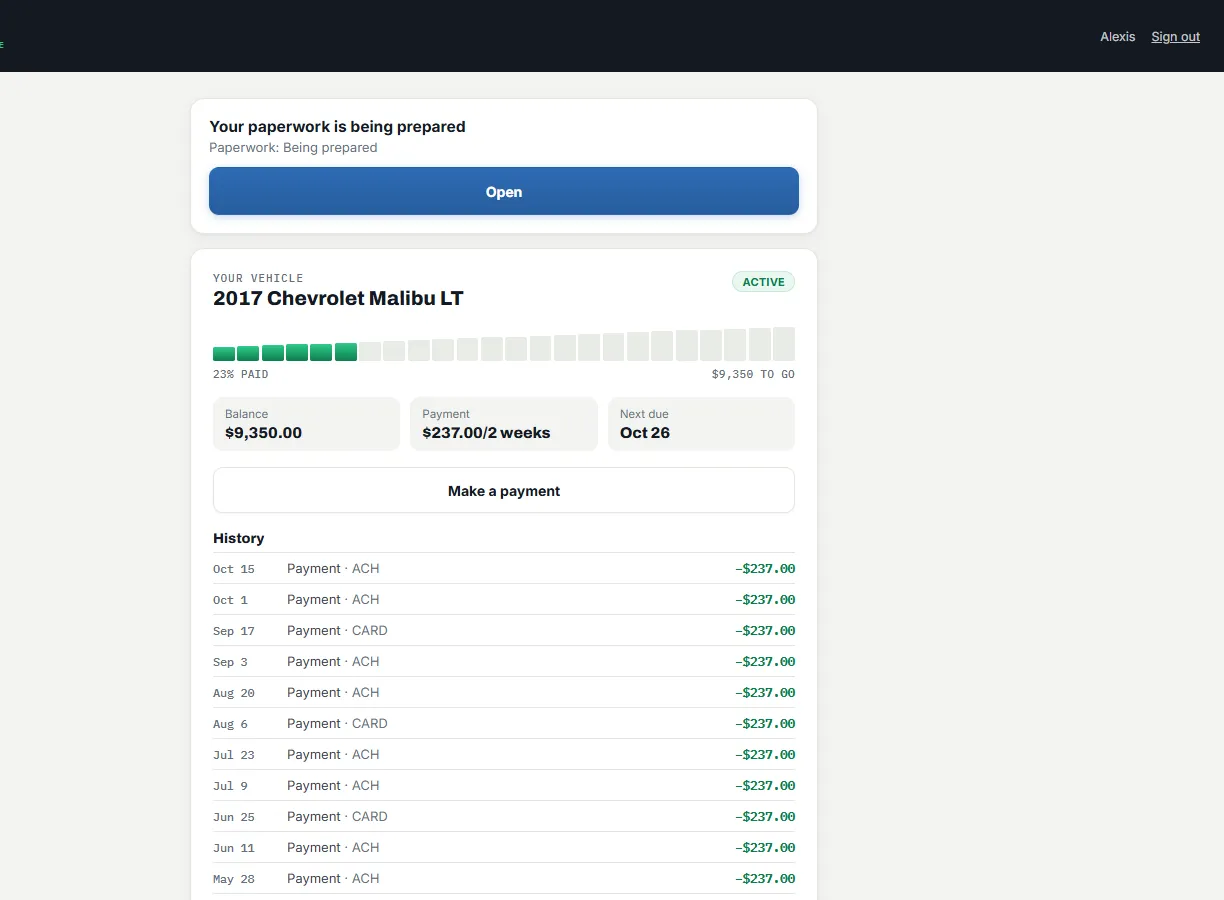
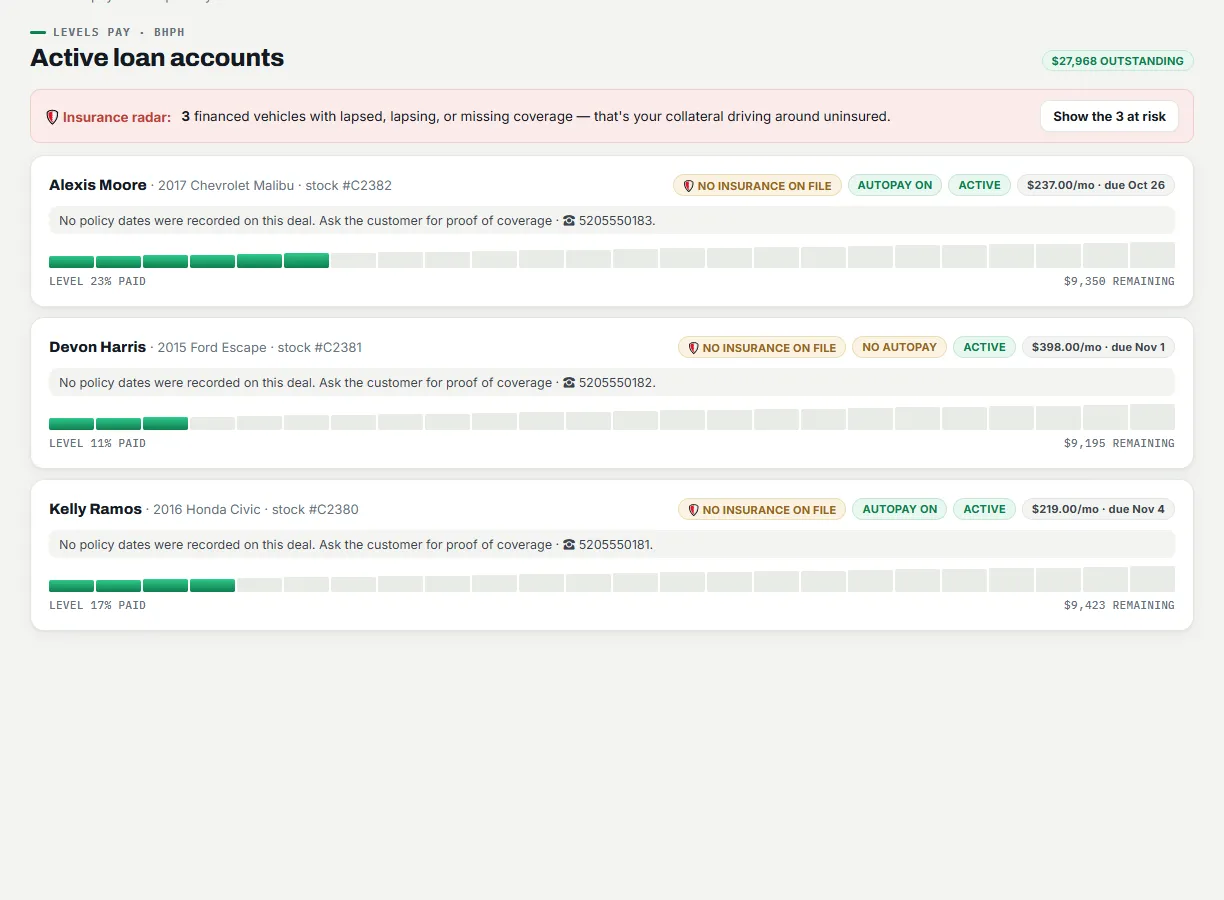
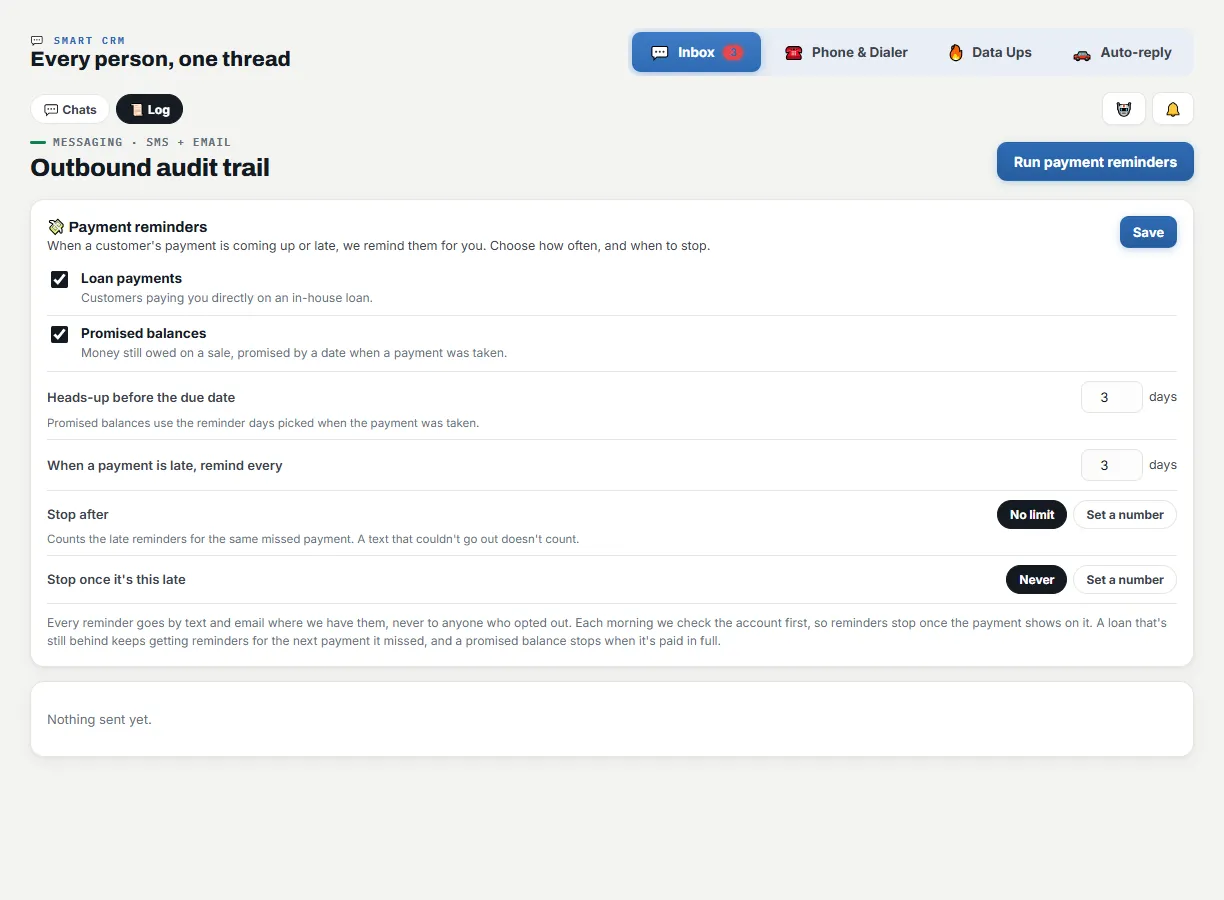
Shown with a made-up example store. Click a screen to see it full size.
READ NEXT
- In-House PaymentsYour customers pay you online. Reminders send themselves. In-House Payments is $29 a month on top of Starter, or part of the Full Package — 14 days free with code #LevelUP.
- Full PackageEvery Levels Dealer OS module plus the Deal Vault and e-signing, Finance, Taxes, Accounting, Operations, Analytics and Reputation: $299 a month or $2,990 a year, unlimited users.
- PricingLevels Dealer OS pricing: every module is $29 a month, the Full Package is $299 a month or $2,990 a year, and code #LevelUP gives 14 days free on each module.
- SecurityHow Levels Dealer OS protects dealership and customer data, as its Privacy Policy and Terms describe it: HTTPS, encrypted sensitive fields, separation between dealerships, credit-access levels, audit logs and backups.